
Table of Contents
ToggleCrushed Rock Calculator: Estimate Volume, Weight & Cost for Any Project
Ordering crushed stone without knowing your exact tonnage is how driveways end up short a truckload or budgets run over on delivery fees. A crushed rock calculator takes your project’s length, width, and depth and turns it into the cubic yards and tons you need to order — no guesswork, no oversized delivery, no second trip to the yard.
Crushed Rock Calculator
Accurate volume & weight estimations for any project
Unit System
Area Input Method
Length ft
Width ft
Diameter ft
Base ft
Height ft
Custom Area ft²
Depth in
2 in3 in4 in6 in12 in
Material Type
Crushed Limestone
1,523 kg/m³ · 95 lb/ft³
Crushed Granite
1,602 kg/m³ · 100 lb/ft³
Crushed Gravel
1,682 kg/m³ · 105 lb/ft³
Basalt / Traprock
1,762 kg/m³ · 110 lb/ft³
Sandstone
1,442 kg/m³ · 90 lb/ft³
Dolomite
1,602 kg/m³ · 100 lb/ft³
Quartzite
1,682 kg/m³ · 105 lb/ft³
Stone Dust / Screenings
1,282 kg/m³ · 80 lb/ft³
Custom Density
Enter your value below
Density (kg/m³)
Density (lb/ft³)
Editing one field auto-converts the other.
Waste / Compaction Factor ?
%
5%10%15%
Price per Ton (optional)
$
Delivery Cost (optional)
$
Calculation Results
Crushed Limestone—
Volume (yd³)
—
Weight (tons)
—
Est. Total Cost
Full Breakdown
Reset Calculator?
This will clear all inputs, results, and saved data.
Copied to clipboard!
To estimate crushed rock, multiply length × width (in feet) by depth (in feet), then multiply that cubic footage by your material’s density in tons per cubic yard, after converting cubic feet to cubic yards (divide by 27). Add 10% for compaction and waste.
related construction & material calculator
How a Crushed Rock Calculator Works
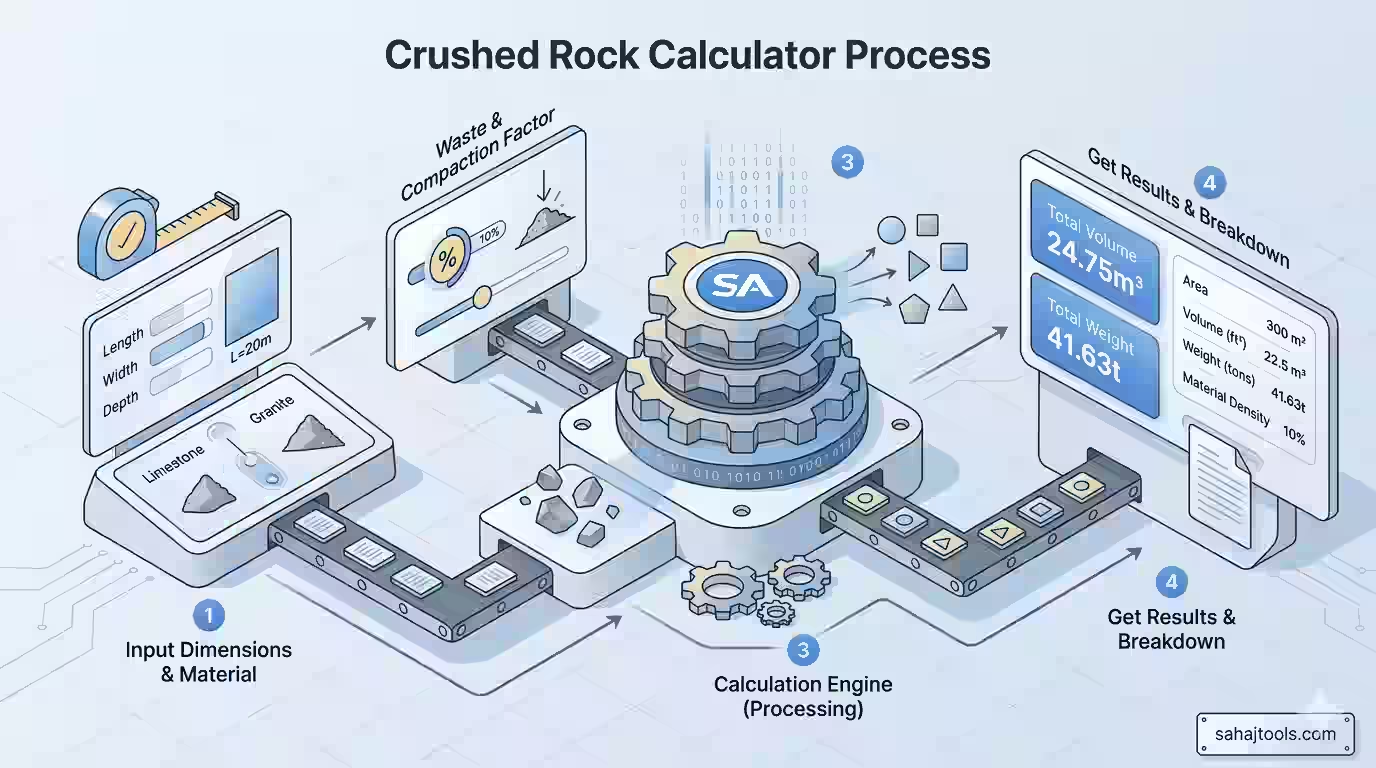
Every aggregate calculator — whether it’s built for gravel, road base, or crusher run — relies on the same core formula: area times depth equals loose volume, and loose volume times density equals weight.
Here’s the breakdown a crushed rock calculator runs behind the scenes:
- Area — length (ft) × width (ft) = square feet of coverage.
- Volume — square feet × depth (converted to feet, since depth is usually measured in inches) = cubic feet.
- Cubic yards — cubic feet ÷ 27 = cubic yards (the unit most quarries and stone calculator tools price by).
- Weight — cubic yards × material density (in tons per cubic yard) = tons needed.
- Compaction factor — add 10–15% to account for settling once the material is spread and compacted, since loose volume in the truck bed always exceeds the compacted volume on the ground.
This is the same math behind any calculator for gravel by the ton or a 3/4 crushed stone calculator — the formula doesn’t change, only the density value swapped in for the specific material.
Worked Example: Crushed Rock for a Driveway
Say you’re resurfacing a driveway that’s 20 feet long and 15 feet wide, and you want a 4-inch layer of crushed limestone.
- Area: 20 ft × 15 ft = 300 sq ft
- Depth in feet: 4 in ÷ 12 = 0.333 ft
- Loose volume: 300 sq ft × 0.333 ft = 100 cubic feet
- Cubic yards: 100 ÷ 27 = 3.7 cubic yards
- Weight: crushed limestone runs roughly 1.35 tons per cubic yard, so 3.7 × 1.35 ≈ 5 tons
- With a 10% waste allowance: 5 × 1.10 ≈ 5.5 tons to order
That’s the number you’d hand to the supplier when requesting delivery — a real gravel tonnage calculator result, not a rough guess.
Material Density Reference Table
Density is the variable that changes most between materials, and it’s the reason a generic aggregate calculator can’t just use one flat number for every stone type. Here’s a general reference for common crushed rock and aggregate materials:
Material | Density (lb/ft³) | Approx. tons per cubic yard |
Crushed Limestone | ~90–95 | ~1.2–1.35 |
Crushed Granite | ~100 | ~1.35 |
Crushed Gravel | ~105 | ~1.4 |
Basalt / Traprock | ~110 | ~1.5 |
Sandstone | ~90 | ~1.2 |
Dolomite | ~100 | ~1.35 |
Quartzite | ~105 | ~1.4 |
Stone Dust / Screenings | ~80 | ~1.1 |
3/4 Inch Minus (road base) | ~100–105 | ~1.35–1.4 |
Material density varies by supplier and moisture content; confirm the exact weight with your yard before ordering in bulk, especially for larger jobs where a few percentage points of variance change the truck-load count.
Compaction and Base Material Considerations
Once you hit Calculate, the tool returns several output values. Here is what each one means and how to act oFor base rock, sub-base, and road base applications — the layer under a driveway, patio, or shed foundation — compaction matters more than it does for a decorative topcoat. Loose crushed stone compacts significantly once run over with a plate compactor, which is why calculators that just multiply area by depth without a compaction factor tend to under-order. Building in a 10% cushion (higher for base layers under heavy vehicle traffic, lower for a thin decorative layer) keeps you from needing a second delivery mid-project.n it.
Crushed Rock vs. Other Aggregate: When to Use What
Crushed rock isn’t the only option for driveways, drainage, and landscaping beds, and a decomposed granite calculator or pea gravel comparison often comes up in the same research pass:
- Crushed rock / crusher run compacts hard and locks together, making it the standard choice for driveway base and sub-base under pavers.
- Pea gravel stays loose and rounded, better suited to drainage beds, walkways, or decorative ground cover where compaction isn’t the goal.
- Decomposed granite compacts into a smoother, more walkable surface than crushed rock, popular for pathways and patios where foot traffic (not vehicle weight) is the main load.
- Road base / sub-base is typically a specific crushed-and-graded blend meant to sit under asphalt or concrete, engineered for load-bearing rather than surface appearance.
If you’re also estimating a drainage bed, a pea gravel calculator can help size that separately from your driveway base. And if your project includes a poured concrete pad alongside the crushed rock base, a concrete calculator handles that portion of the material list.
Common Mistakes When Estimating Crushed Rock
- Forgetting to convert inches to feet before multiplying — depth is almost always given in inches, but the volume formula needs feet.
- Skipping the compaction factor and ordering exactly the calculated tonnage, then coming up short once the material settles.
- Using the wrong density for the specific stone — limestone, granite, and basalt don’t weigh the same per cubic yard, and mixing up figures throws off the tonnage estimate.
- Not accounting for irregular areas — an L-shaped driveway or curved bed needs to be broken into smaller rectangles, circles, or triangles and summed, rather than estimated as one block.
related category calculators
- Asphalt Driveway Cost Calculator: Once you’ve calculated your stone base, use this to estimate the cost of the final asphalt topping.
- Concrete Block Calculator: Useful if you are building a retaining wall to hold your crushed rock in place.
- Stone Calculator: A broader tool for various decorative stones and boulders.
Frequently Asked Questions
It depends on your driveway's square footage and desired depth, but a typical 4–6 inch base layer works out to roughly 1.2–1.5 tons per 100 square feet, depending on the material's density. Use the calculator above with your exact dimensions for a precise figure.
Multiply your area in square feet by your depth in feet, then divide by 27 to get cubic yards. A 300 sq ft area at 4 inches deep works out to about 3.7 cubic yards.
Take your cubic yards and multiply by the material's density (typically 1.2–1.5 tons per cubic yard for most crushed stone), then add 10% for compaction and waste.
Convert your depth from inches to feet by dividing by 12, multiply by your square footage to get cubic feet, then divide by 27 for cubic yards before applying the material's density.
Most crushed stone weighs between 2,400 and 2,800 pounds (roughly 1.2 to 1.4 tons) per cubic yard, though this varies by material type and moisture content.
Coverage follows length × width × depth (converted to feet) = cubic feet, then cubic feet ÷ 27 = cubic yards, and cubic yards × density = tons.
Gravel pricing varies widely by region, material, and delivery distance — entering your local price per ton into the calculator alongside your tonnage estimate gives a fast total-cost figure.
Measure your area's length and width, decide on a depth (commonly 2–4 inches for topcoat, 4–6+ inches for a driveway base), then run those numbers through the formula above to get cubic yards and tons.
This flips depending on density, but a rough rule of thumb is about 0.7–0.85 cubic yards per ton for most standard gravel and crushed stone.
Before you start, jot down three things: your area’s length and width (or break irregular shapes into simpler sections), your target depth in inches, and which material you’re using. Plug those into the calculator above, and you’ll get cubic yards, tons, and — if you enter a price per ton and delivery cost — a full estimated total before you ever call the supplier.
Last Update: July 2026